
Module guide for client admins and client users
What it is
A DPIA, a data protection impact assessment, is a structured look at a way of using personal data that may put people at risk. Trident's DPIA workspace walks you through it one stage at a time and keeps the answers, the risks you score and the sign-offs together on one record.
The workspace cites provisions on its own screens, for example in the page header and at the screening stage. This guide does not repeat or interpret them. Read them on the screen, and check them against the current Act and the regulator's guidance with your DPO.
The tool's own briefing says: "This tool accelerates the assessment; it does not replace the DPO's judgment, and it is not legal advice."
When to use it
- Your RoPA or a new project describes processing you think may be high risk, and you want to work through it properly.
- The screening stage asks you to run a DPIA and you want a record of why.
- A transfer abroad needs a DPIA recorded next to its Cross-Border TIA.
What to gather first
- A short name for the activity, and the RoPA activity it belongs to if there is one.
- Who is involved: the project lead, the DPO of record and an authorised representative. These must be different people when it comes to signing.
- What data is involved, where it is stored and who else handles it.
Steps
-
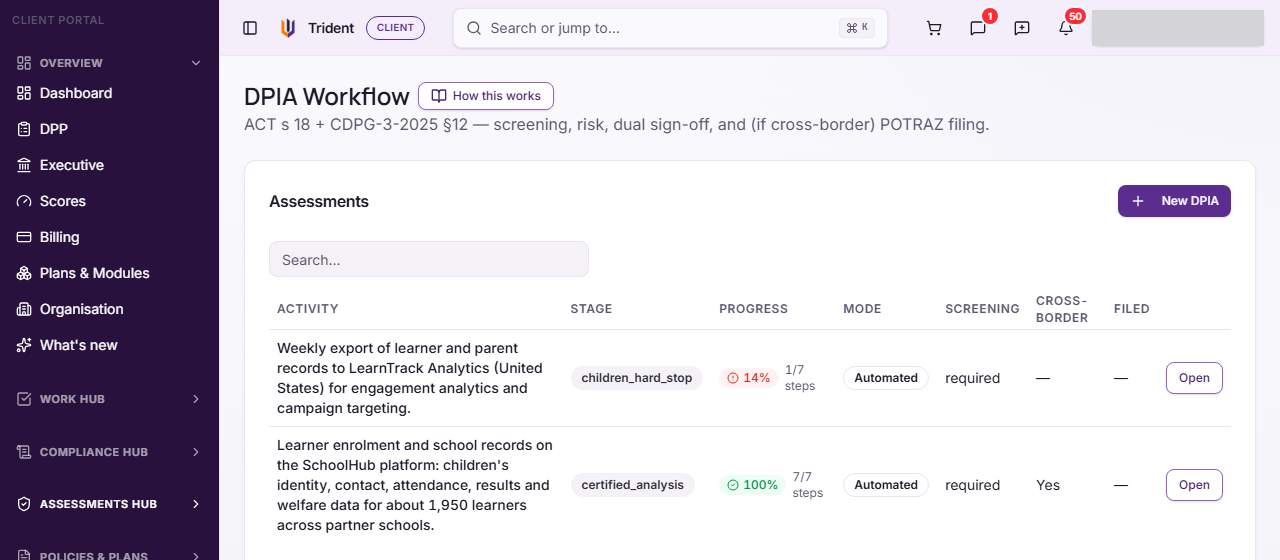
Open DPIA. In the left menu, open the Assessments Hub and select DPIA. The list shows each assessment with its stage and progress.
-
Start one. Select New DPIA and describe the activity. The briefing then appears; select Start DPIA when you have read it. Run a DPIA has the steps.
-
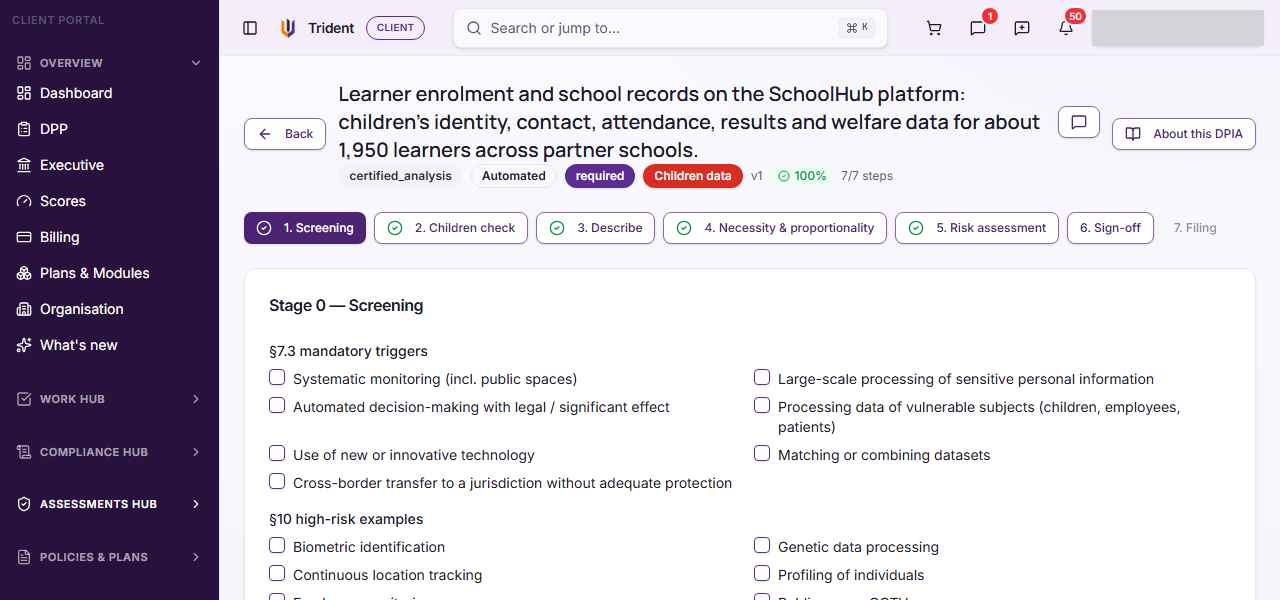
Work through the stages. The workspace shows them as numbered steps: Screening, Children check (only when children's data is involved), Describe, Necessity & proportionality, Risk assessment, Sign-off and Filing. A later step stays locked until the earlier ones are done.
-
Screening. You tick the triggers that apply. Any ticked trigger, or children's data, marks the DPIA as required. If nothing applies, your answers stay as evidence.
-
Describe. You choose a legal basis, say whether sensitive data or a transfer abroad is involved, and fill in five parts about the project, the data, the flows and the safeguards.
-
Risk assessment. You list risks, score each for likelihood and severity from 1 to 5, and say how you will reduce the serious ones. Trident works out the band from your two scores.
-
Sign-off. Two people sign, the DPO of record and an authorised representative. They must be different people.
-
The final stage. For a transfer abroad, the last stage records a filing: Trident stores a snapshot and an entry in Authority Contact. It does not send anything to POTRAZ.
Example entries
- Activity: weekly export of learner records to an analytics provider.
- Activity: staff location tracking on company vehicles.
Common mistakes
- Treating the record as the filing. The final stage records a filing in Trident. Whether and how you submit to the authority is for your organisation to decide with its DPO.
- Treating "certified" or signed as "compliant". These are states on the record. They are not a statement that the processing meets the law.
- Editing after sign-off without expecting to sign again. Changing the screening, legal basis, necessity or proportionality after sign-off clears the signatures, so they have to be given again.
- Leaving the children check unfinished. When children's data is involved, the later stages stay locked until its confirmations are done.
How it links with other modules
A DPIA can start from a RoPA activity and uses your Data Assets and Relationships Register in its description. High residual risks can be suggested to the Risk Register, and a transfer abroad can link to a Cross-Border TIA. The filing stage adds an entry to Authority Contact.
Last checked against Trident on 2026-11-06.