
Step-by-step guide for client admins and client users
Before you start
- Who can do it. A client admin or a client user, with the Customer Awareness module in the plan.
- What it is. A record of campaigns that tell people whose data you hold how you use it. It is separate from staff training.
- Trident sends nothing. You deliver the campaign yourself, by email, text, a web banner or any channel. Trident records the plan, the materials, the delivery and the report. The channel you choose is a label.
- Prices. For bespoke or large campaigns the screen points to an extra service; see the pricing page.
Steps
-
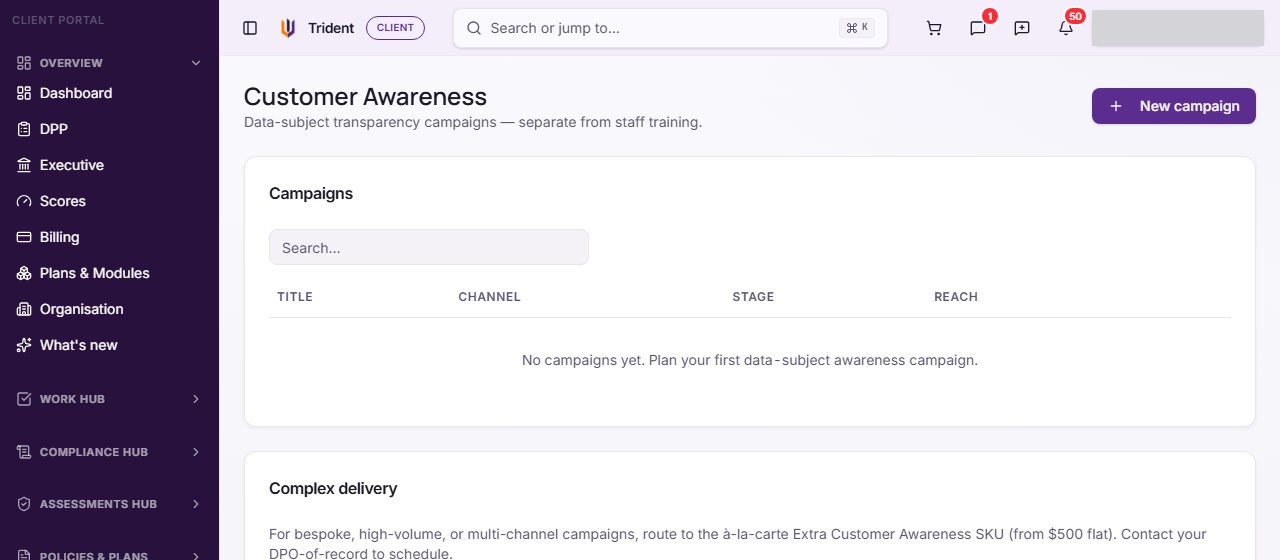
Open Customer Awareness. In the left menu, open the Training Hub and select Customer Awareness. The Campaigns list shows each campaign's title, channel, stage and reach.
-
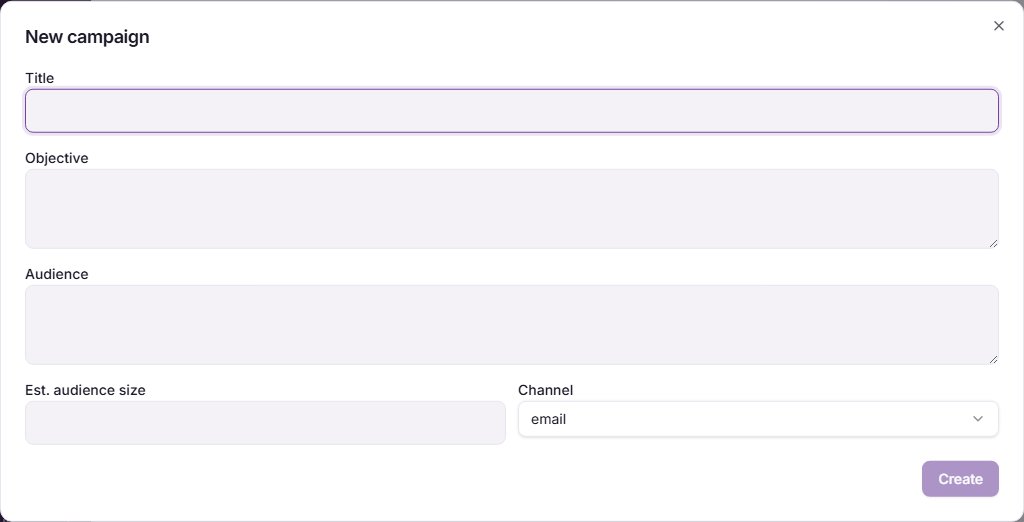
Plan a campaign. Select New campaign. Enter a Title, Objective and Audience, an Est. audience size, and choose the Channel. Select Create.
-
Attach materials. Open the campaign. Under 1. Select materials, tick the templates you will use and select Attach selected.
-
Deliver it yourself, then record it. After you have sent or shown the campaign, go to 2. Capture delivery & evidence. Enter Reach (people notified), Engagement (opens/clicks/attends) and Evidence notes, then select Mark delivered. The delivery is written to your Privacy Activity Log.
-
Report. Under 3. Report, select Mark reported to finalise it. This writes a further entry to the log and counts towards the customer side of your training and awareness score.
Check it worked
- The campaign shows its new stage in the Campaigns list.
- A completion rate line shows once delivery is recorded.
- Your Privacy Activity Log has the delivery and report entries.
If something goes wrong
- Mark delivered is greyed out. Once a campaign is reported or archived, delivery cannot be changed.
- Mark reported is greyed out. Record delivery first.
- There is no New campaign button. Your role may be Executive viewer, or your organisation's records may be read-only.
Last checked against Trident on 2026-11-06.