
Step-by-step guide for client admins and client users
Before you start
- Who can do it. A client admin or a client user.
- What the log is for. It is a record of your organisation's interactions with POTRAZ or another regulator: filings, correspondence and licence status. Some entries are created for you, for example when a filing is recorded in another module.
- What to have. Who the contact was with, what it was about, and any reference or date the regulator gave you.
Steps
-
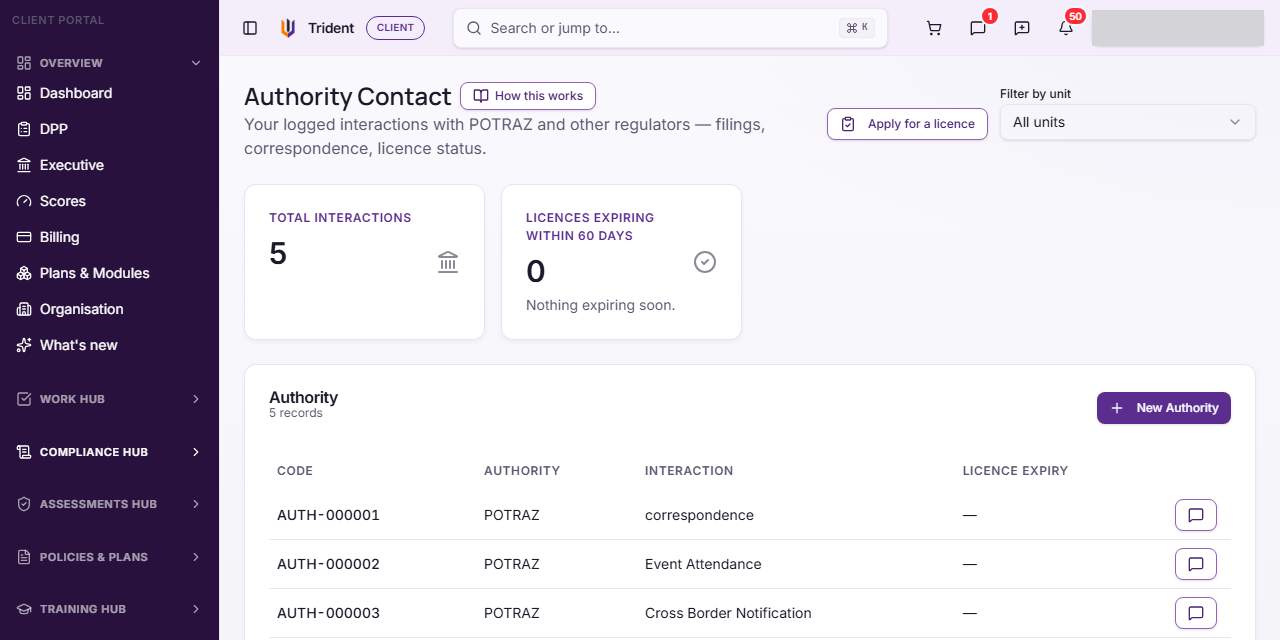
Open Authority Contact. In the left menu, open the Compliance Hub and select Authority Contact. The list shows each entry with its code, the authority, the interaction and any licence expiry.
-
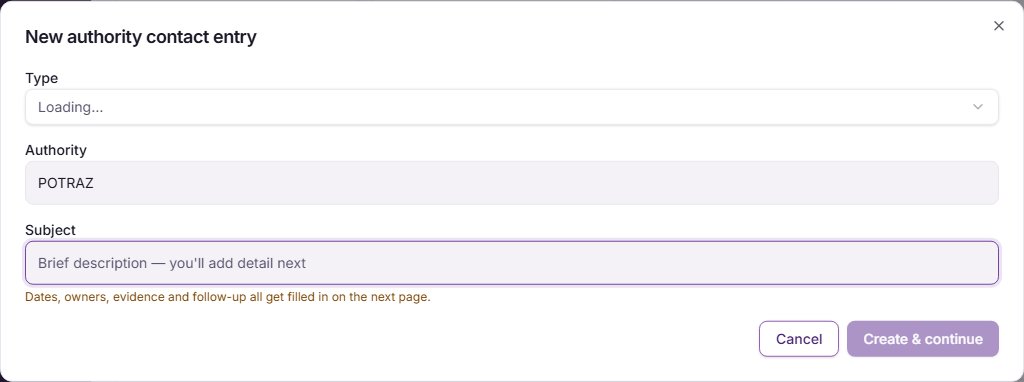
Start an entry. Select New Authority. In New authority contact entry, choose the Type of interaction, check the Authority (it starts as POTRAZ), and write a short Subject. Select Create & continue. The next page is where the dates, owners and follow-up go.
-
Fill in the details. On the entry's page, check the Interaction type, the Authority and, if you know it, the Authority unit / office. Set the Record status. If the regulator replied, enter Received (reply/response).
-
Add licence dates, if the entry is about a licence. Under Licence dates, enter Issued, Expires and Renewal due. Take them from the licence or the regulator's letter.
-
Record the outcome and the reference. Add the Decision / outcome if there is one, the Form / reference code and the Submission reference the regulator gave.
-
Assign owners and follow-up. Choose a Business owner and a Privacy owner, set Follow-up due and a Follow-up owner, and a Next review due if you want a prompt to look at the entry again.
-
Save. Select the save button at the bottom of the page. A message confirms the entry was updated.
Check it worked
- The entry shows in the Authority Contact list with its code, authority and interaction.
- Licence expiry shows in the list once you have entered it.
- Reopening the entry shows the owners and dates you saved.
If something goes wrong
- You cannot find an entry you expected. Some entries are created by other modules when a filing is recorded. Search the list by authority or code.
- A date is wrong on a licence entry. Dates are typed from the licence itself; correct them on the entry and save.
- There is no New Authority button. Your role may be Executive viewer, or your organisation's records may be read-only.
Last checked against Trident on 2026-11-06.